Price Comparator
Compares product prices across different supermarkets.
View product →Quick summary
- Role
- Product, design, and full-stack development (solo)
- Period
- August 2026
- Tech stack
- React + Vite/crxjs + Tailwind (base) → custom extraction cascade (JSON-LD/microdata/DOM) → custom lexical matching → local semantic embeddings (ONNX/WASM)
The problem
The idea came from a memory: when my son was little, we were always hunting for diaper deals across supermarkets. Back then I would have loved something that let me type a product once and immediately see where it was cheapest, instead of opening tab after tab and repeating the same search in every store.
That same problem is still around today, made worse by the fact that a store’s own search doesn’t always show you what you actually asked for: when they don’t carry the exact product, many return “similar products” instead of an empty list, and it’s easy to end up comparing the price of something that isn’t even what you searched for.
The core design decision was to keep complexity as low as possible: no periodic catalog scraping, no infrastructure to maintain, no costs to pass on to the user. Everything runs in the browser itself, on demand, whenever the user searches. This isn’t a project built to monetize — it’s about solving a real problem in the simplest, cheapest way possible.
Building it
None of these versions came out of a closed plan drawn up in advance — each one came from testing the search’s real-world results, finding where accuracy broke down, and adjusting the app based on that, not from adding features for their own sake.
V1 — Working multi-store MVP (August 2026)
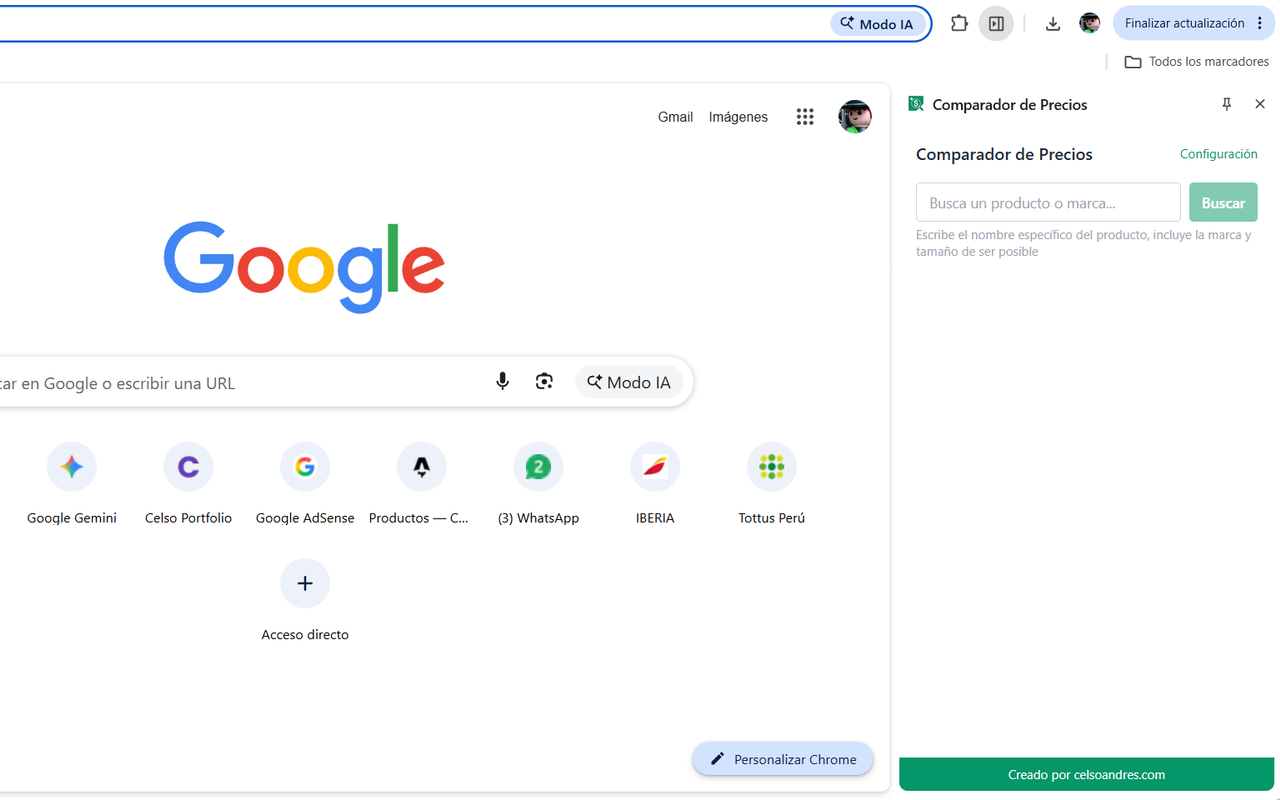
- Full Manifest V3: a background service worker + a UI in Chrome’s side panel, with no server of its own.
- Data model validated with Zod, with store CRUD persisted in
chrome.storage.local. - A cascading extraction engine with a confidence score per strategy: JSON-LD → microdata → meta tags → DOM heuristics, to cover the real variety of how different e-commerce platforms mark up their products.
- Guided onboarding (language, country, up to 5 stores) with host permissions requested one at a time, only for the sites the user adds.
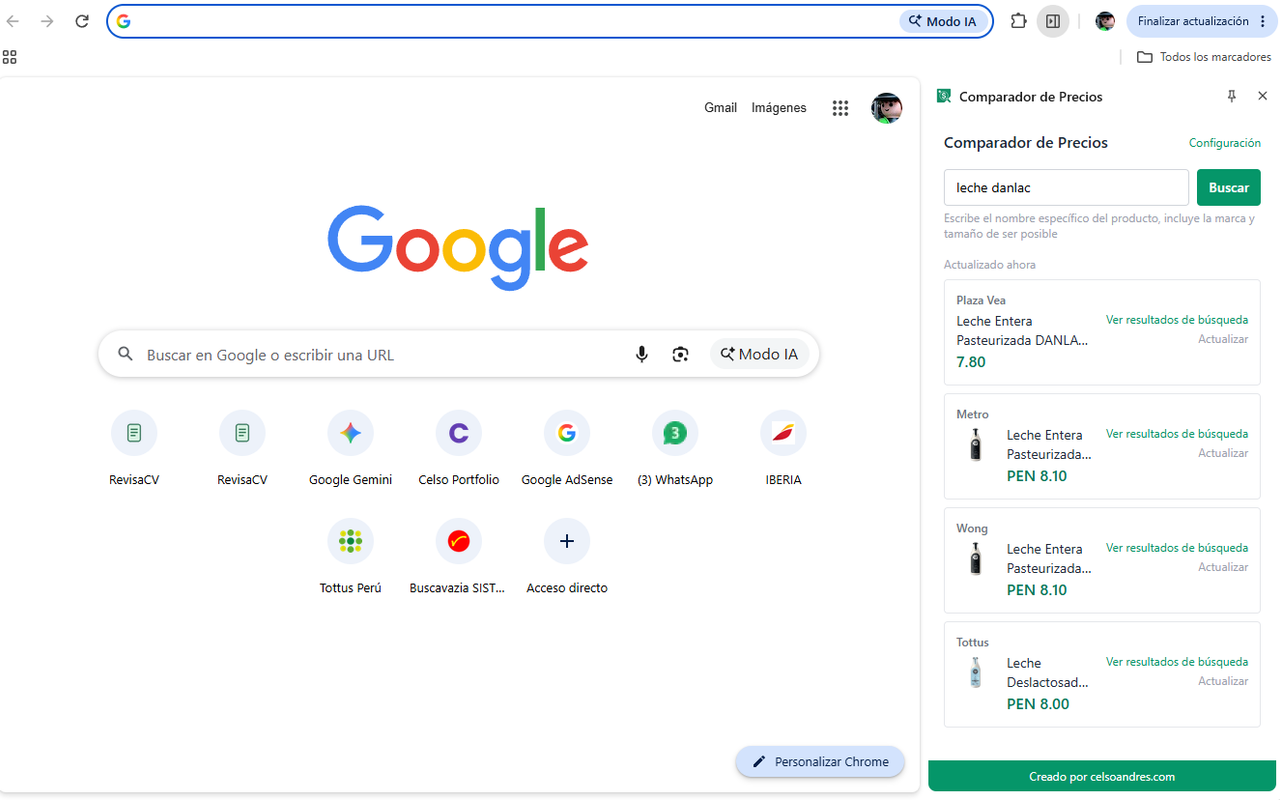
- Search orchestration: opens one tab (or a minimized window) per store, extracts, closes it, and caches the result with a configurable TTL.
- Manually curated, live-verified suggested stores for 7 countries (Peru, Argentina, Chile, Brazil, Paraguay, Colombia, Ecuador) — every search URL confirmed by browsing the real store, not assumed.
V2 — Relevance matching, lexical level (August 2026)
- The real trigger: one store (Wong) returned Greek yogurt as the result for a search for a specific brand of kefir — the extension displayed the first result as if it were correct, without validating that it actually matched what was searched for.
- A custom text-to-text comparison heuristic: accent normalization, tokenization, a Spanish/Portuguese stopword list, tolerance for spelling variants via Levenshtein distance (singular/plural, typos), curated regional synonyms (palta/aguacate, choclo/elote, etc.), and a word-order signal to break ties between titles that share the same words in a different order.
- A new “not found” state (distinct from “extraction error”), with a direct link to the store’s real search so the user can decide for themselves when the automatic match doesn’t convince them.
V3 — Local semantic matching, embeddings level (August 2026)
- A quantized
multilingual-e5-smallmodel (ONNX) running via@huggingface/transformersover WebAssembly, bundled inside the extension itself — zero calls to external AI services, works offline. - Designed as a hybrid signal, not a replacement: lexical matching remains the primary filter (strong on brand names, which an embeddings model doesn’t distinguish well); the semantic model only steps in within a “gray zone” of the lexical score, with a threshold considerably stricter than what was first tested.
- Non-trivial build changes were needed to make this viable: a Vite alias to avoid bundling 4 variants of the WASM binary (up to 26MB each, meant for WebGPU/old-browser compatibility that doesn’t apply here), a CSP with
wasm-unsafe-eval, and the model vendored locally to comply with Manifest V3’s policy against “remote code.”
V4 — User trust and publishing (August 2026)
- A cancel button for an in-progress search that stops the process and closes any open tabs — with a per-search tab log to cover the case where Chrome won’t actually let you cancel a tab that’s already opening.
- Transparency about matching uncertainty: the “View product” button became “View search results” and links to the store’s real results, not to a single product auto-selected on the user’s behalf.
- Chrome Web Store prep: a privacy policy written from the actual code (not a generic template), listing copy, screenshots resized to 1280×800, and a justification for every permission requested.
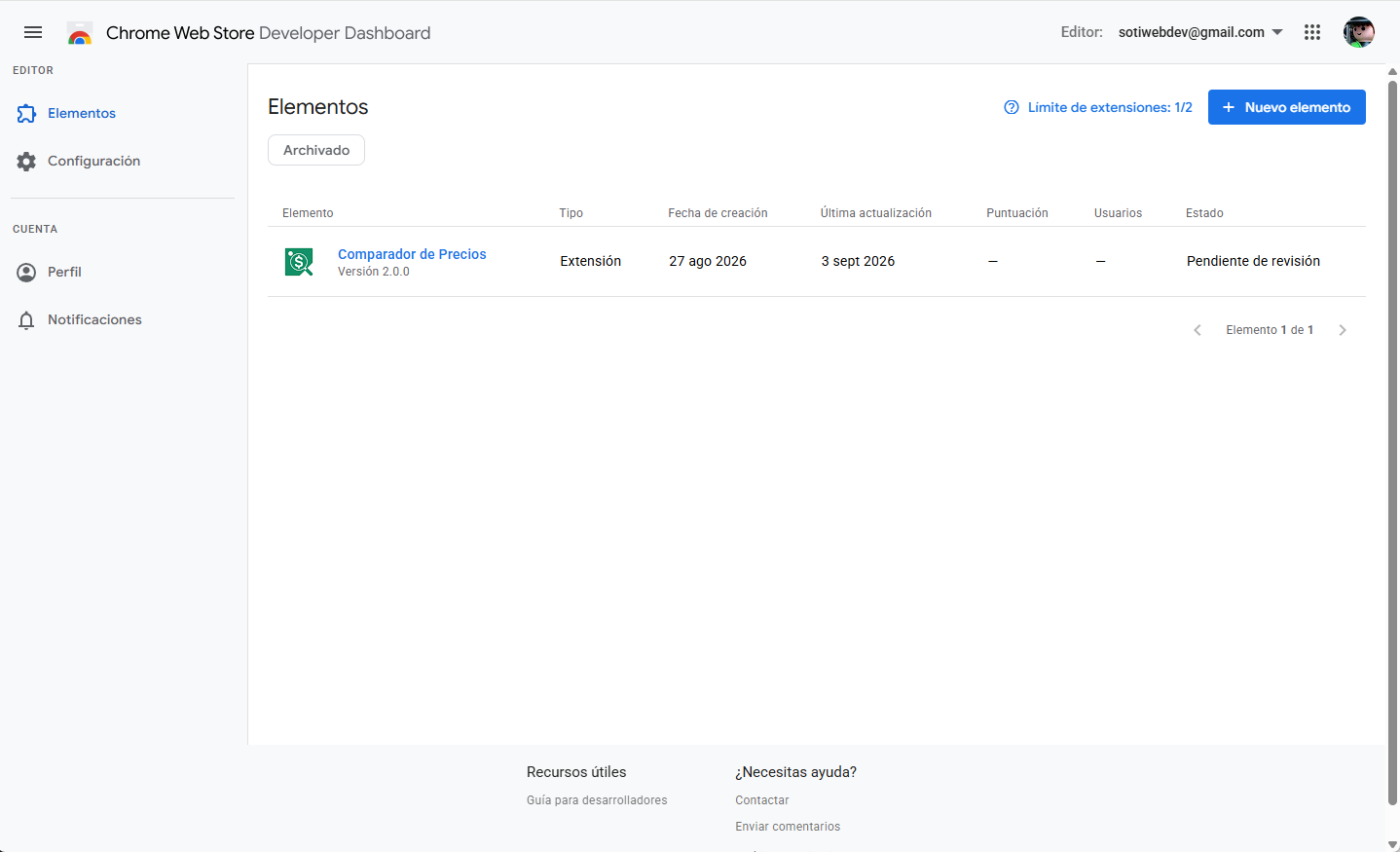
- First review submission rejected by Google: the
tabspermission was declared in the manifest, but no implemented feature actually needed it (see Scaling). Every real use ofchrome.tabs.*in the code was audited, confirming that opening/closing tabs and reading their loading status don’t require that permission; it was removed from the manifest, and the extension was resubmitted.
Scaling it
- V1 → V2: exact-text matching broke down as soon as the real catalog had any variation — singular/plural, regional synonyms, or a “similar” product the store returned instead of an empty list. V1’s implicit assumption (the store’s first result is the correct one) didn’t hold up in practice.
- V2 → V3: lexical matching can’t distinguish related concepts that don’t share words (kefir vs. Greek yogurt). But the first attempt at fixing this with embeddings nearly broke the accuracy already achieved: a similarity threshold that was too permissive let through completely unrelated products (a Nintendo Switch controller was accepted as a result for a search for sliced bread, with a similarity score as high as genuine matches). The way the two signals combined had to be completely redesigned, not just a number tweaked.
- Packaging the AI model: the library’s default configuration shipped 4 variants of the WASM runtime built for cases this extension doesn’t need (WebGPU, old-browser compatibility) — left uncorrected, the final bundle would have weighed twice as much as necessary.
- Consistency across stores: when a user’s search doesn’t specify a size or variant, each store can — individually correctly — pick a product of a different size than the others. This isn’t solved by better matching (there’s no objectively “correct size” without more context); it was solved with transparency: showing the full, untruncated title and a direct link to the store’s real search.
- V4 → actual publication: Chrome Web Store’s automated review rejected the first submission for declaring the
tabspermission without needing it — all the code that opens, closes, and checks the status of tabs (chrome.tabs.create/remove/.status) works fine without that permission; it’s only needed to read a tab’surl,title, orfavIconUrl, something this extension never does since search URLs are built, not read back. It was the one real problem internal testing hadn’t caught, because everything worked identically with or without the extra permission — external review was what made it visible.
Results
| Version | Period | Result | Cost |
|---|---|---|---|
| V1 | August 2026 | End-to-end working extension, manually validated across 7 countries and the region’s most common e-commerce platforms | $0 — no server of its own |
| V2 | August 2026 | Verifiably eliminates “wrong brand” false positives (the Wong/kefir case) without adding any new dependency | $0 |
| V3 | August 2026 | Semantic matching running 100% on the user’s device; ~130MB added to the bundle, no inference cost from relying on any third-party AI API | $0 recurring |
| V4 | August 2026 | Listing, privacy policy, and screenshots ready; first submission rejected over an unnecessary permission (tabs), fixed and resubmitted for review |
$0 |
No user/revenue metrics yet — the product is under Chrome Web Store review at the time of writing this case study.
Lessons learned
- Verify live before trusting the heuristic. Every extraction fix (VTEX’s
AggregateOfferformat, the price regex for regional formats, React sites’ hydration timing) came from inspecting a real store’s actual DOM, not from assuming a standard that “should” hold. - More “intelligence” isn’t automatically better. Adding an embeddings model without validating it against real cases nearly made the accuracy already achieved with a simple text heuristic worse. A logging panel showing which signal decided each result was what caught it in time, instead of discovering it with real users.
- Asking before guessing avoids rework. Every time an ambiguous piece of data came up (a store URL that didn’t match the country, product text that could be read two ways), confirming before assuming came out cheaper than undoing a decision made blind.
- “No backend” is a product decision, not just a technical one. Keeping everything local — data, cache, and even the AI model — made the privacy policy genuinely simple to explain, eliminated recurring costs, and solved by design the risk of rejection for “remote code” in Chrome Web Store review.
- Transparency is cheaper than perfect precision. When automatic matching can’t guarantee the same size or variant across stores, showing the full title and a link to the store’s real search solves the problem better than endlessly tuning the algorithm.
- Ask only for the permission your code actually uses, not the one it “might” need. The Chrome Web Store rejection over the
tabspermission was a reminder that declaring extra permissions “just in case” isn’t free: besides looking worse to the user, the store’s automated review catches it and rejects the publication. External review ended up being the only test that exposed the problem — internal testing was never going to find it, because the code worked identically with or without the extra permission.